Features

Features for the moments studying usually breaks.

Each feature is here to remove a real point of friction students hit while reading, listening, organizing, or reviewing.

Featured flow

Document AI

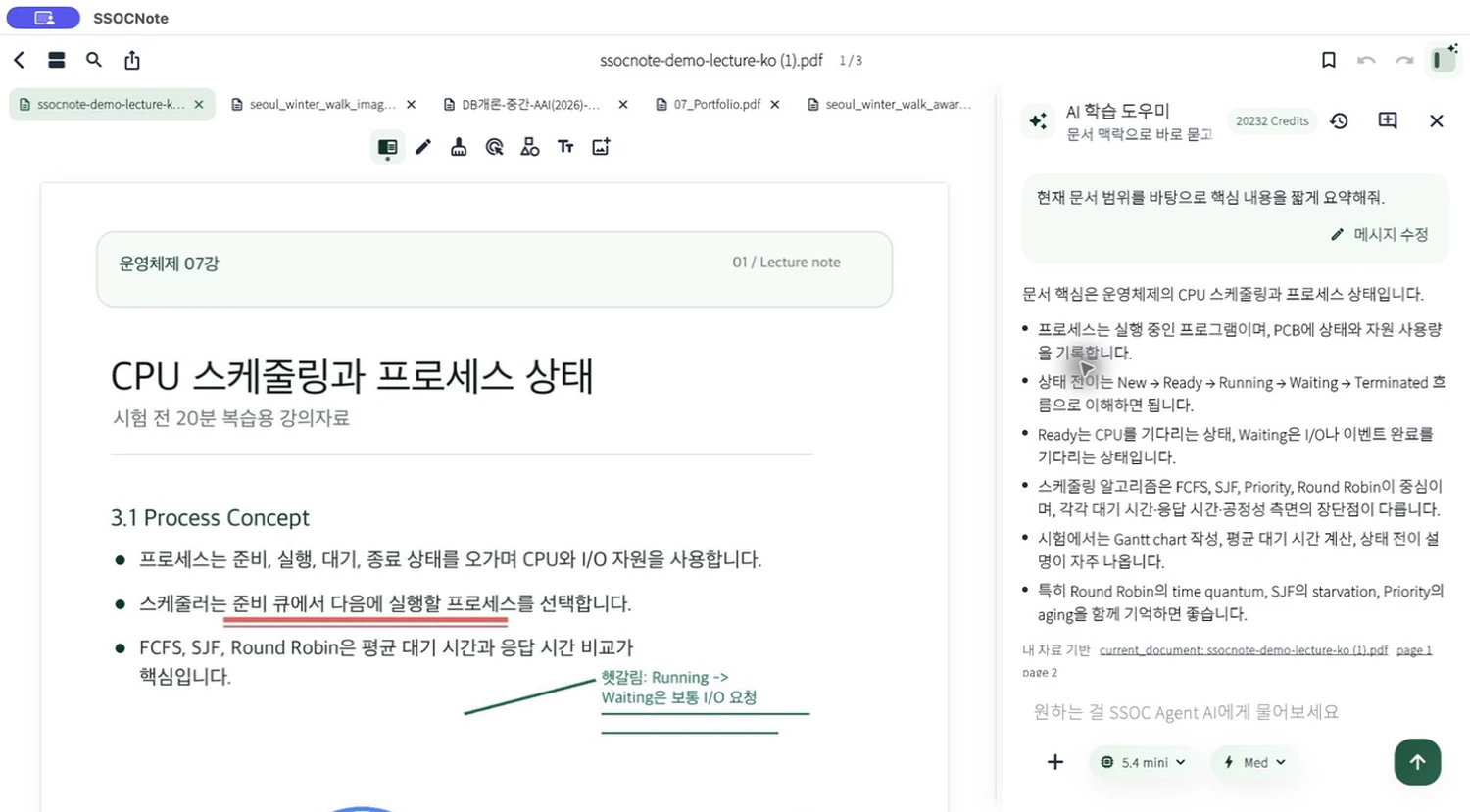
Dense readings can stop you before you even know what to ask.

Ask from the current page, selection, document, or library for summaries, explanations, practice questions, and note cleanup.
  • Page or selection
  • Per-document chat
  • Questions and cleanup
Beta Uses AI Credits Mac / iPad
SSOCNote Mac screen with the Document AI sidebar open
AI study

Lecture notes

Turn microphone recordings into transcripts and summaries, record while viewing web lectures, then create review cards from the note.

  • Recording-based notes
  • Transcript plus summary
Beta Uses AI Credits
SSOCNote lecture note screen summarized by AI
Exam prep

Review cards

Generate multiple-choice, short-answer, and essay cards from PDFs, selections, and lecture transcripts, then manage the review order.

  • Multiple card types
  • Duplicate reduction
Beta Uses AI Credits
SSOCNote iPhone screen showing review cards

Notes and editing

PDF annotation and editing

Marks made during class lose value if they are hard to find later.

Use pen, highlighter, shapes, text, images, bookmarks, page search, PDF insertion, merge, and export in one document.
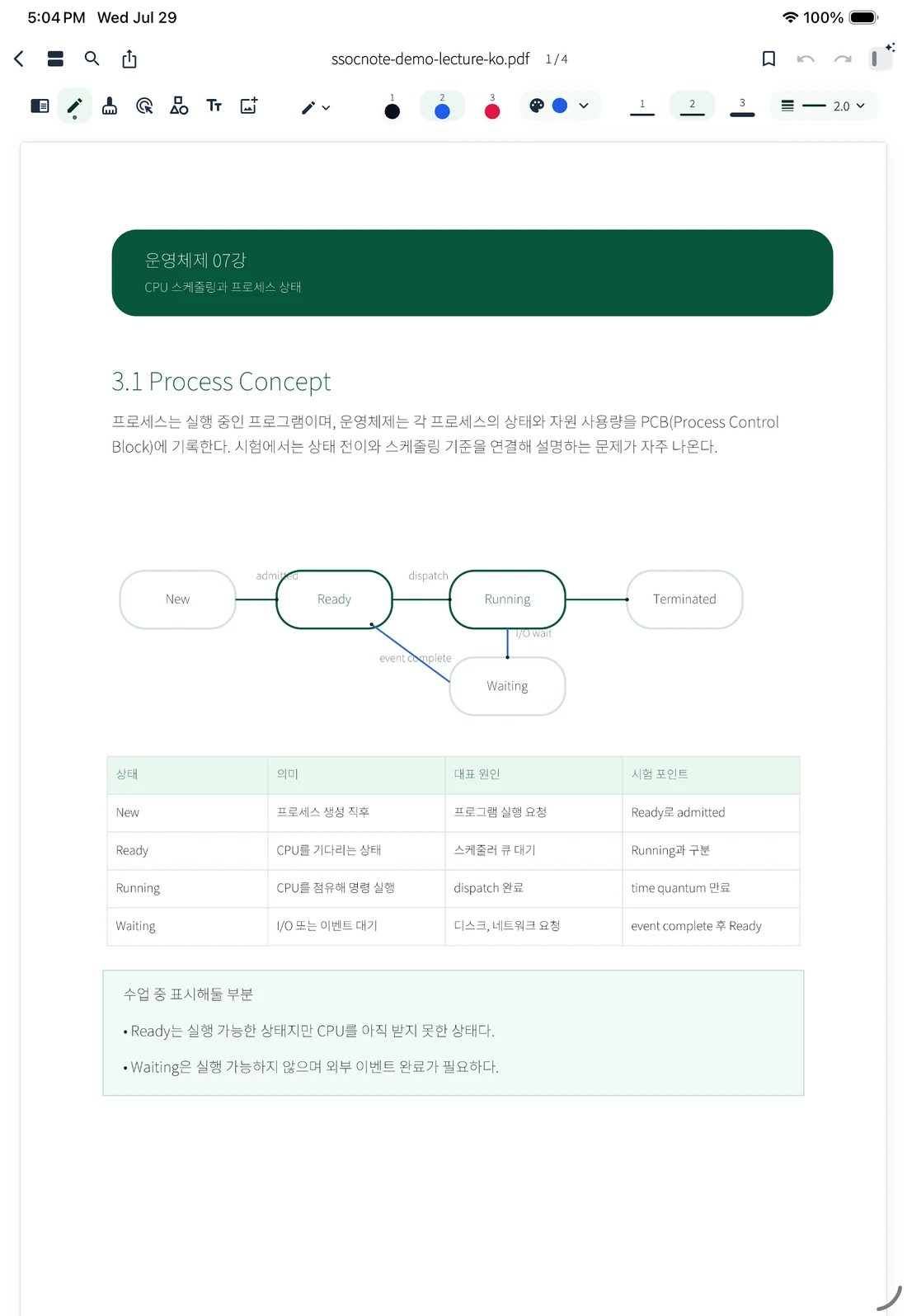
  • Pen and highlighter
  • Text, images, shapes
  • Insert, merge, export
Beta Free workspace Mac / iPad
SSOCNote iPad screen annotating a lecture PDF

AI study

Document AI

Dense readings can stop you before you even know what to ask.

Ask from the current page, selection, document, or library for summaries, explanations, practice questions, and note cleanup.

  • Page or selection
  • Per-document chat
  • Questions and cleanup
Beta Uses AI Credits Mac / iPad
SSOCNote Mac screen with the Document AI sidebar open

AI study

Lecture notes

When a lecture slips by, replaying from the start eats the time you needed for review.

Turn microphone recordings into transcripts and summaries, record while viewing web lectures, then create review cards from the note.
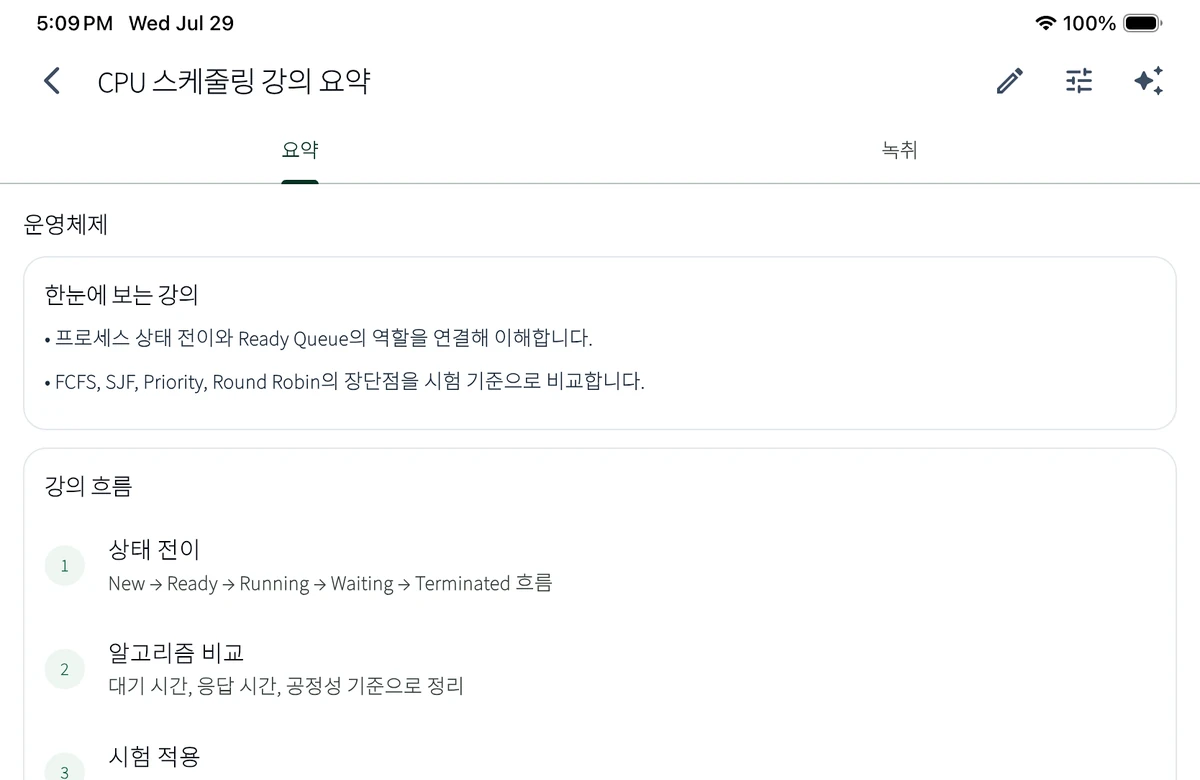
  • Recording-based notes
  • Transcript plus summary
  • Review card handoff
Beta Uses AI Credits iPad / Mac
SSOCNote lecture note screen summarized by AI

Exam prep

Study sheets

The night before an exam, you need something to scan, not another round of organizing.

Convert documents and lectures into study sheets, cheat sheets, practice questions, and key-point summaries.
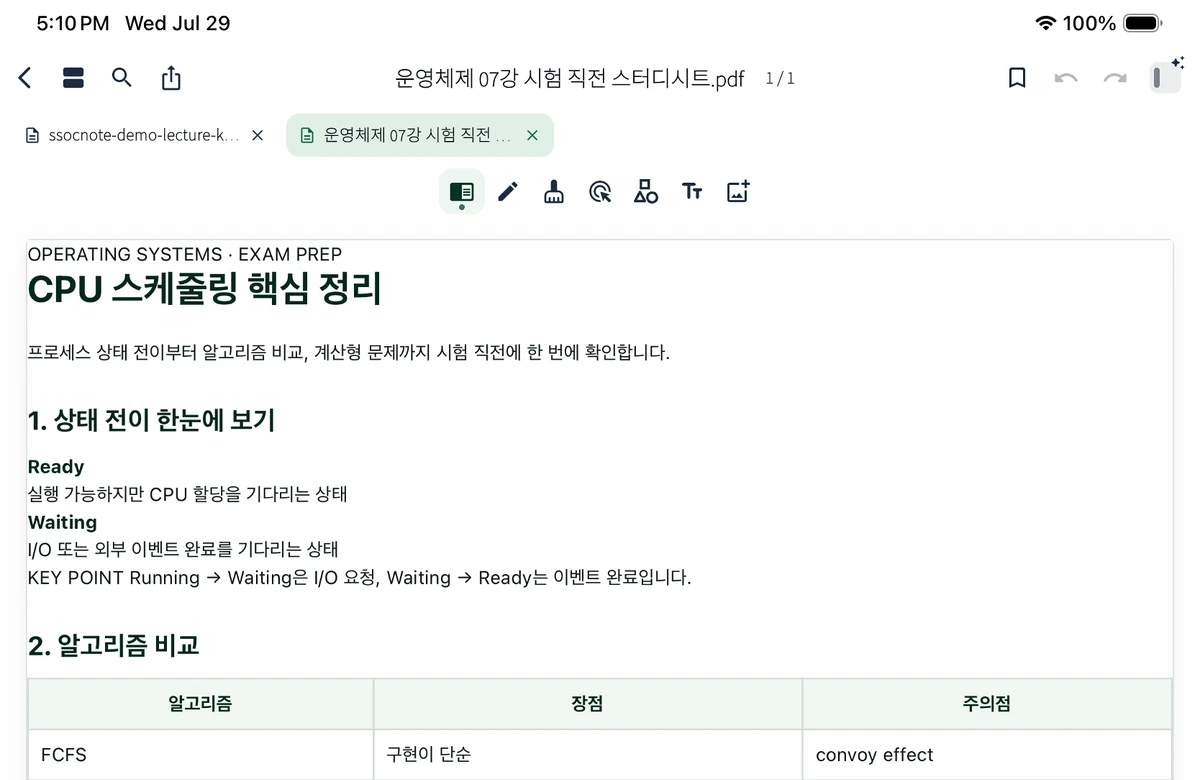
  • Study sheets
  • Cheat sheets
  • Practice questions
Beta Uses AI Credits Mac / iPad
SSOCNote study sheet screen prepared for exam review

Exam prep

Review cards

You may remember reading something, but not enough to recall it under pressure.

Generate multiple-choice, short-answer, and essay cards from PDFs, selections, and lecture transcripts, then manage the review order.
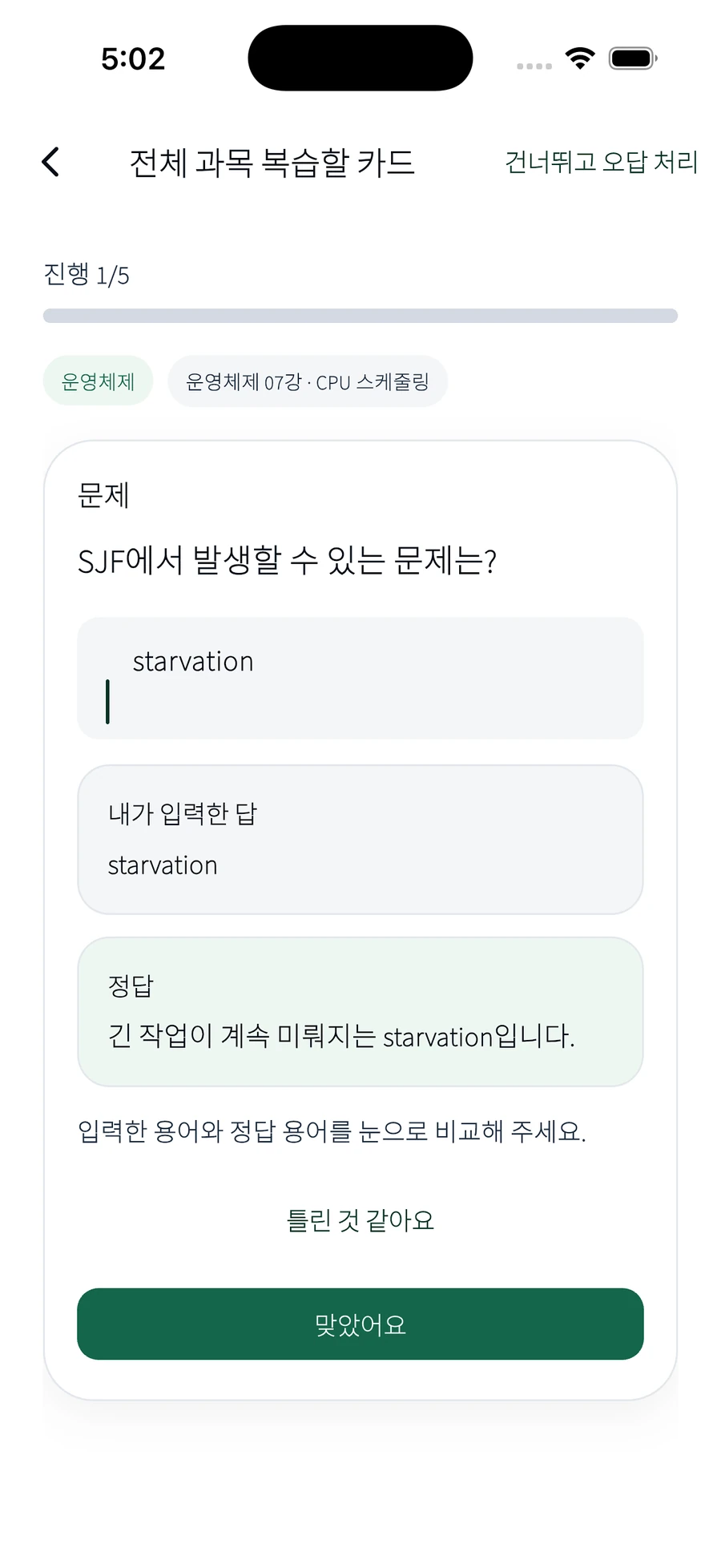
  • Multiple card types
  • Duplicate reduction
  • Short review flow
Beta Uses AI Credits iPhone / iPad
SSOCNote iPhone screen showing review cards

Subject workspace

When PDFs, recordings, and review cards are scattered, studying starts with searching.

Keep PDFs, lecture notes, study sheets, and review cards together by subject, then return through recent files and search.

  • Subject libraries
  • Recent files and search
Beta Free workspace

Apple-device continuity

The flow breaks when Mac organization, iPad handwriting, and iPhone review each feel separate.

Continue the same SSOCNote materials across Mac, iPad, and iPhone, with iCloud connecting organization, annotation, and review.

  • Organize on Mac
  • Annotate on iPad
Beta Free workspace

AI Credits

When note-app pricing and AI usage are mixed together, it is hard to tell what stays free.

Keep reading, annotation, and organization free, and spend Credits only when server AI is needed.

  • Free note workspace
  • Credits by AI feature
Beta Free + AI Credits

Beta

Open the free workspace first. Add AI when you need it.

Bring in a PDF, mark it up, ask when you are stuck, and turn it into review before the exam.

Start on TestFlight See AI Credits

TestFlight access depends on Apple policies and beta capacity.